Buying Furniture Online is Easier Than You Think – Just 8 Steps on the Modesk Website
With Modesk - Home Decor, shopping for furniture is no longer a complicated or time-consuming story.
Just visit the website, register or log in to your account to preview all products, real images, sizes, and transparent listed prices. The search system and category menu are designed intuitively, helping you quickly choose the right furniture item that fits your living space. Each product clearly displays material, color, specifications, and custom options if you want to personalize.
More importantly, you can track your order status, shopping history, and post-sale support directly on your account, creating a sense of proactivity and peace of mind throughout the experience.
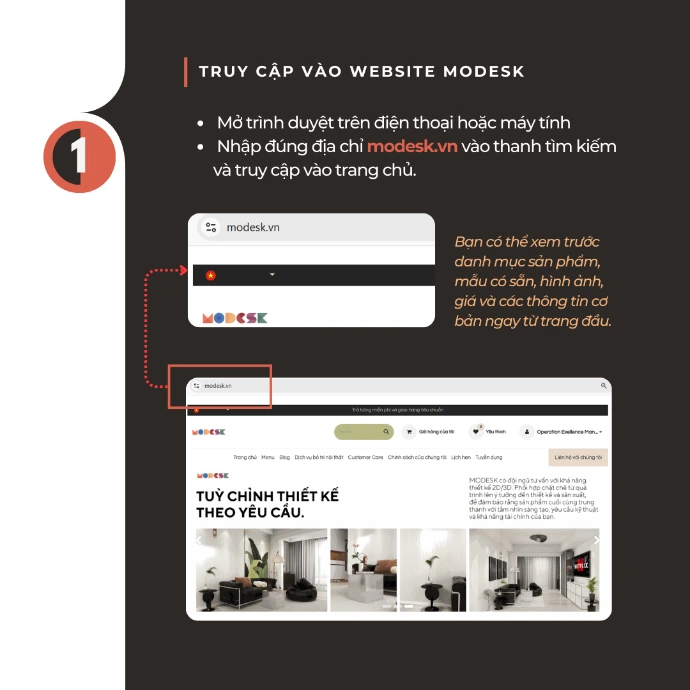
Visit the website: Open the browser on your phone/computer, enterthe MODESK website address (modesk.vn)to access the homepage.
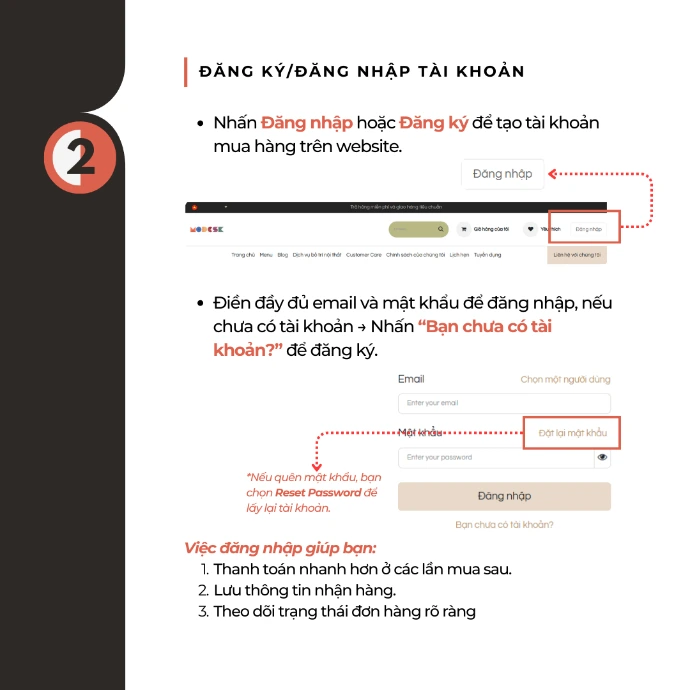
Register/Login: SelectLogin/Register, enter your email & password (or create a new account). You can useReset Passwordif you forget your password.
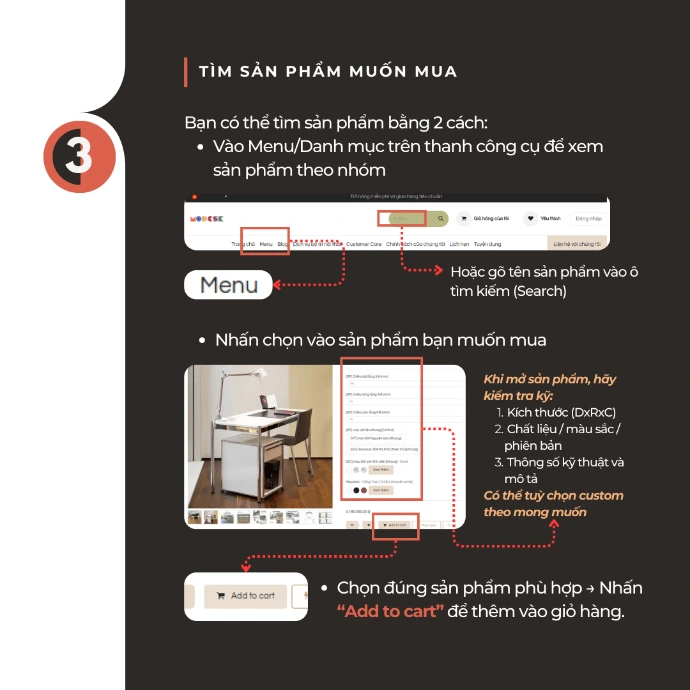
Find products: Search byMenu/Categoryor type the name into theSearch box; open the product and check the size, material/color/version, specifications & description (custom options may be available if any).
.
Add to cart: Select the correct suitable product and then clickAdd to cartto add to the shopping cart.
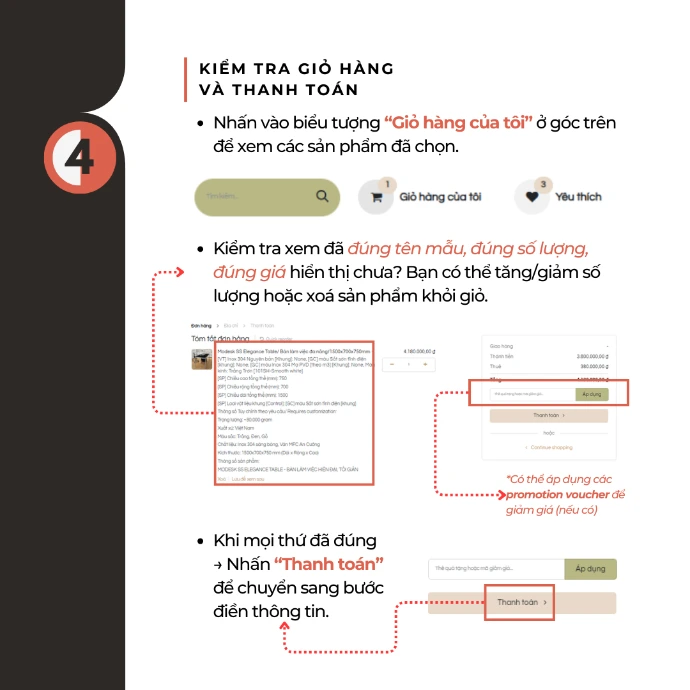
Check cart & checkout: Go toMy Cart, check the product name/quantity/price; you can increase or decrease the quantity, delete the product, apply a voucher (if any) and then clickCheckout.
.
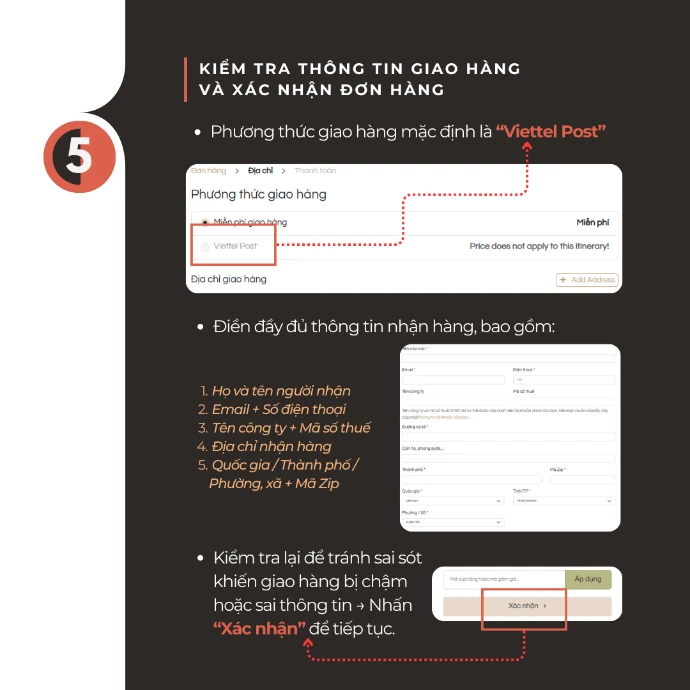
Enter shipping information & confirm the order: Fill in the recipient's information completely (full name, email, phone number, company/tax ID if any, address, country/city/ward, zip code), double-check and clickConfirm.
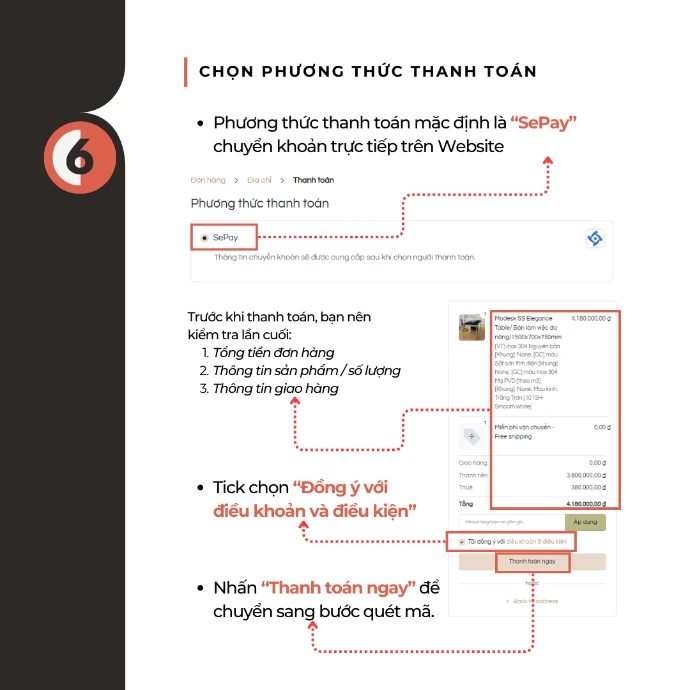
Choose payment method: Select the method (defaultSePay), tickAgree to the terms & conditions, clickPay now.
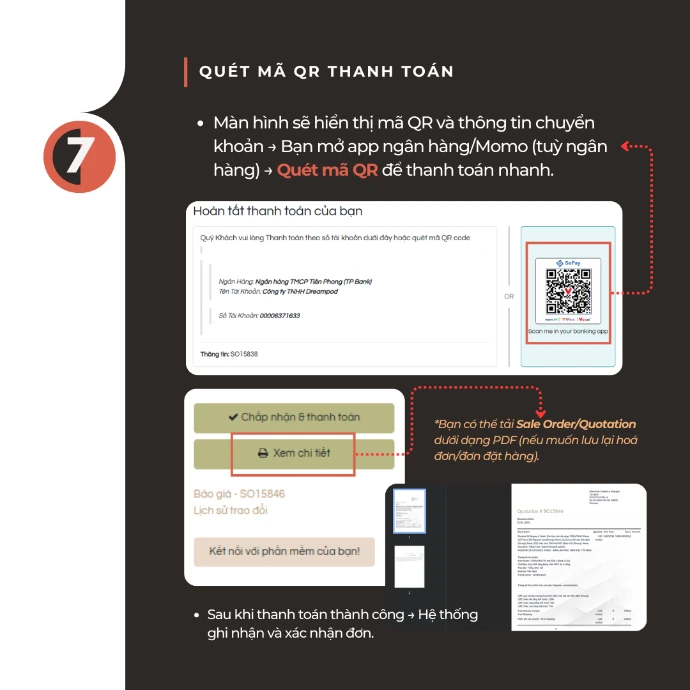
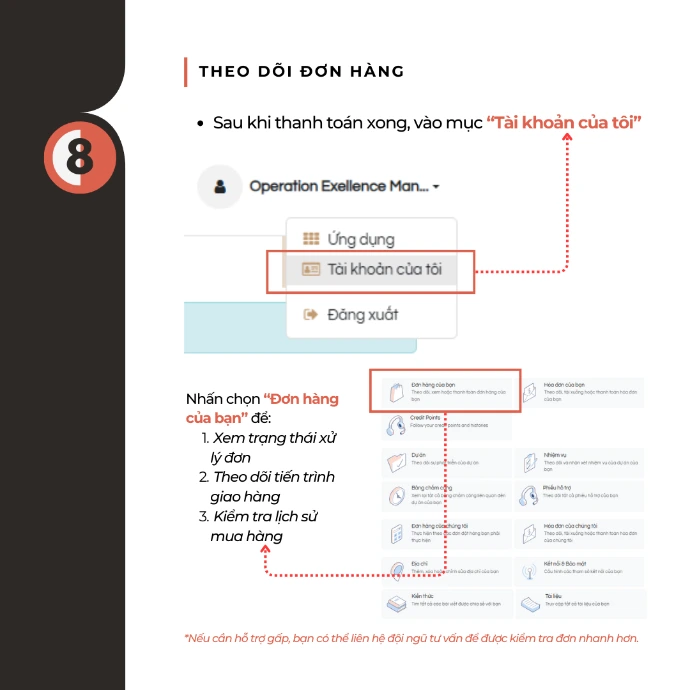
Scan QR to pay & track the order: The screen displaysthe QR code, open the banking/Momo app to scan and pay; then go toMy Account → Your Ordersto track the processing status, delivery progress, and purchase history.